¶ Library Path
Movies
*Added by default
/storage/vol1/1/movies
Movies - 4K
Choose TMDB as your metadata agent!
/4k/one/movies
Movies - Bollywood
/storage/niche/hindi/movies
Movies - Spanish (Peliculas en español)
/storage/niche/spanish/movies
TV Shows
*Added by default
/storage/vol1/1/tv
TV Shows - 4K
/4k/one/tv
TV Shows - Anime
*Added by default
/storage/vol1/1/anime
TV Shows - Kids
*Added by default
/storage/vol1/1/kidstv
TV Shows - Sports
/storage/niche/sports
TV Shows Spanish: (Programas de televisión en español)
/storage/niche/spanish/tv
TV Shows - Telenovelas
/storage/niche/spanish/telenovelas
TV Shows - Bollywood
/storage/niche/hindi/tv
Adult Content / XXX :
/storage/niche/xxx
WARNING, YOUR SERVER MAY BECOME SLOW OR UNRESPONSIVE DURING DIFFERENT POINTS OF THE SCAN.
- The XXX library consists of around 160k individual media files which will take Plex around 30 days to scan & load the local metadata, to speed up this process we suggest allowing your Plex server to scan only the 160k media files first, this will take around 7 days, once this is completed and you see the metadata process running, cancel the XXX library scan, start a full scan on your Plex server for all libraries, then analyze the XXX library to allow Plex to process metadata and scan your Plex server normally.
To analyze a Plex library click the 3 dots next to the library -> Manage library -> Analyze.
- To check your scanning progress sign into Plex.tv on a web browser, go to the servers settings and under status section click the "Alerts" tab. When you see processing metadata then its time to cancel it
- If no new content for 7ish days is an issue then we suggest taking 1-2 break days during the 7ish day XXX library scan. To do this cancel your XXX scan then run individual library scans on the libraries you want updated on your server, once those scans are completed, start scanning the XXX library again.
- Please note cancelling the primary XXX scan will delay the overall scan. All of this will need to be done on a web browser at https://app.plex.tv/.
- Please also keep in mind adding the XXX library will cause scheduled maintenance times to take longer, scheduled maintenance will take your server offline, restart it multiple times, and cause it to act unresponsive. All Plex servers do this weekly already but 99% of the time you won't realize since it happens usually overnight if set properly.
- If adding the XXX library is too taxing or do not want to wait the time it takes to scan it all in, you have the option of just adding the specific websites you are into. To do this, Create a new library and name it what ever you want. You can select Other Videos for the type of library. Then, for the folder path, navigate to /storage/niche/adult and select one by one the website you wish to scan in. For the scanner, Plex video files might work best.
¶ PLEX
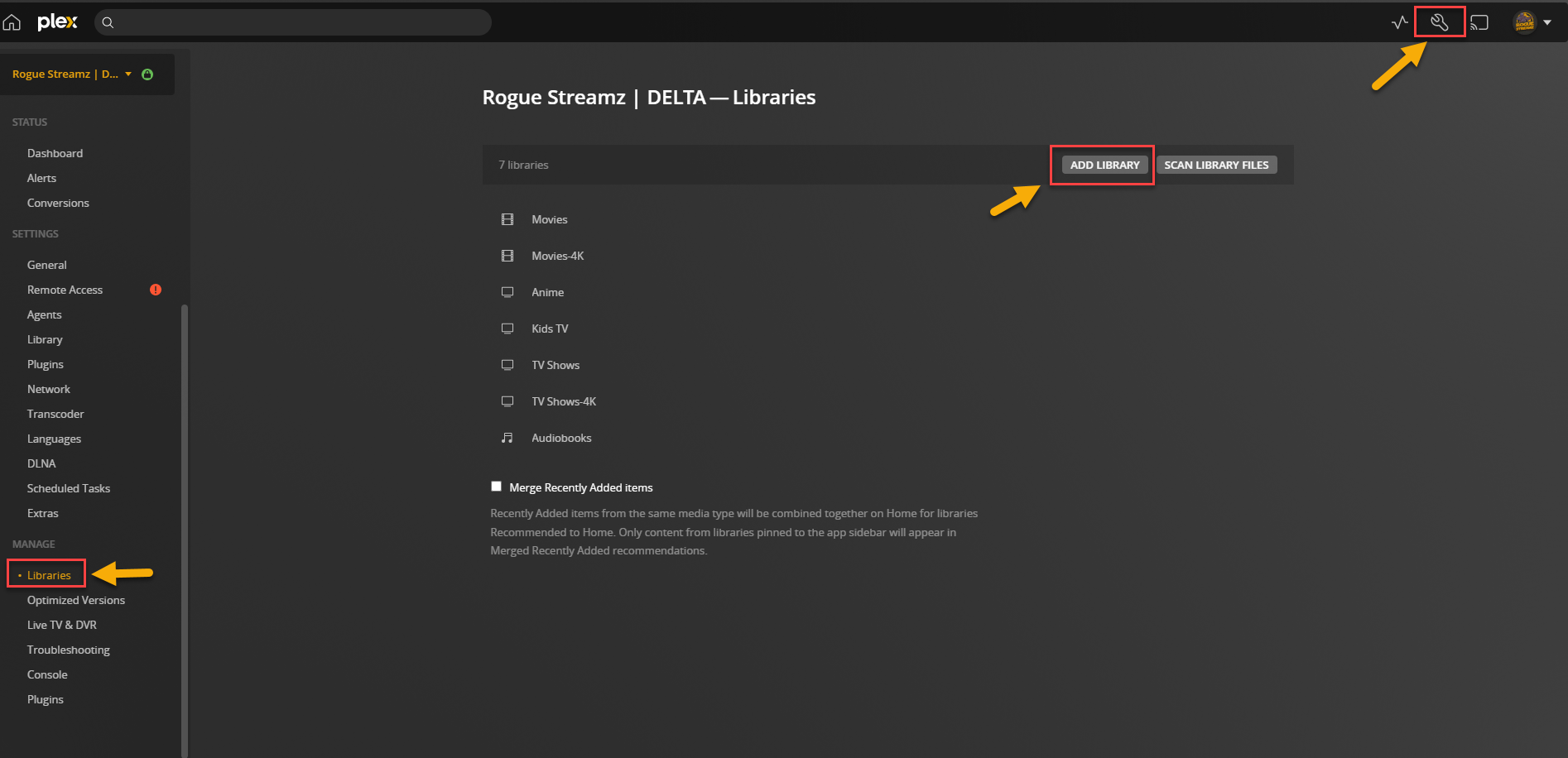
Browse to https://plex.tv and access your server, go to Settings > Manage > Libraries then click Add Library.
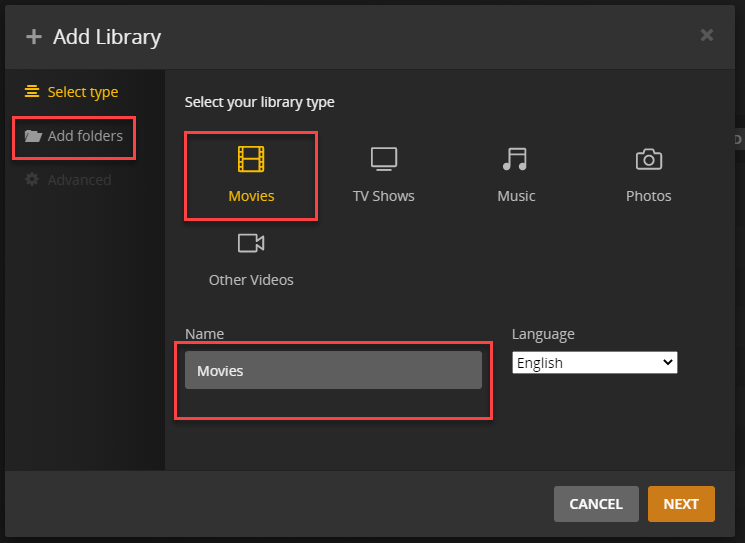
Select “Add folders” > Select your library type either Movies or TV Shows > Re-name your Library and then click Next.
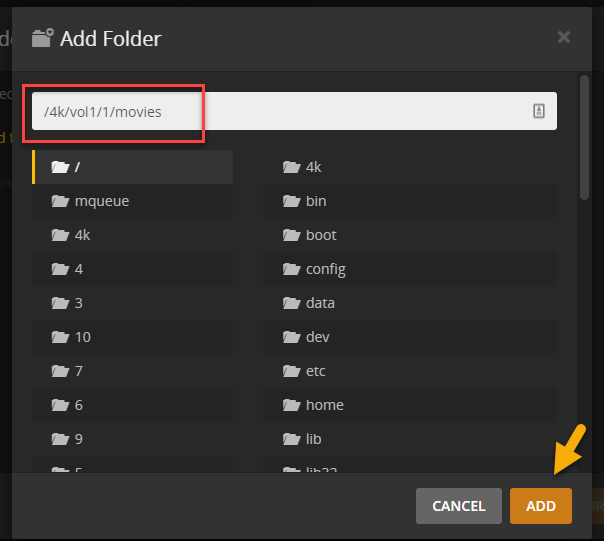
Copy the 4K library
Then click Add.
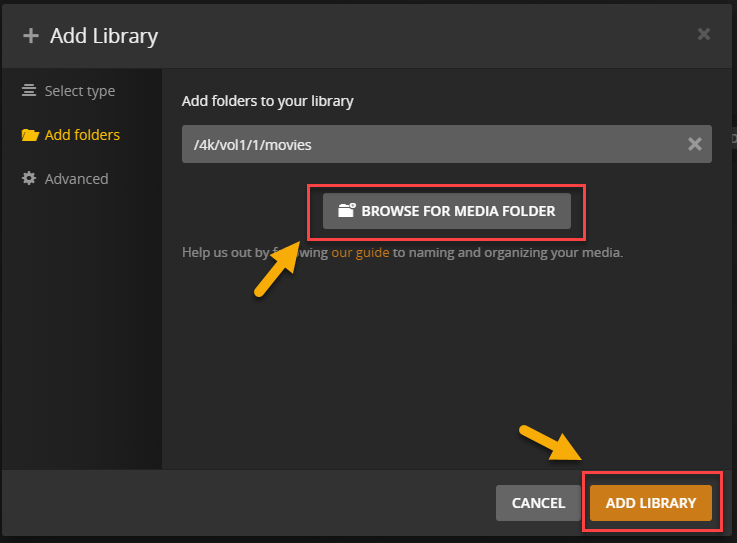
Click “Browse for Media Folder” & copy the rest of the folders.
Note : For Adult Content or XXX Movies
Set Library type to "Other Videos"> add folder path /storage/niche/adult > Under Advanced, Visibility Select what you think would be best for you and uncheck enable video preview thumbnails, because that wont work anyways. Please Note that after it has "finished" scanning but the library is still spinning in settings> Libraries , that means that it is gathering posters for the adult movies. I suggest you let it do its thing, because no one wants to guess what they want to watch based on file name alone.
Done.
¶ EMBY
Go to Settings or Gear icon.
Server > Library .
Click New Library.
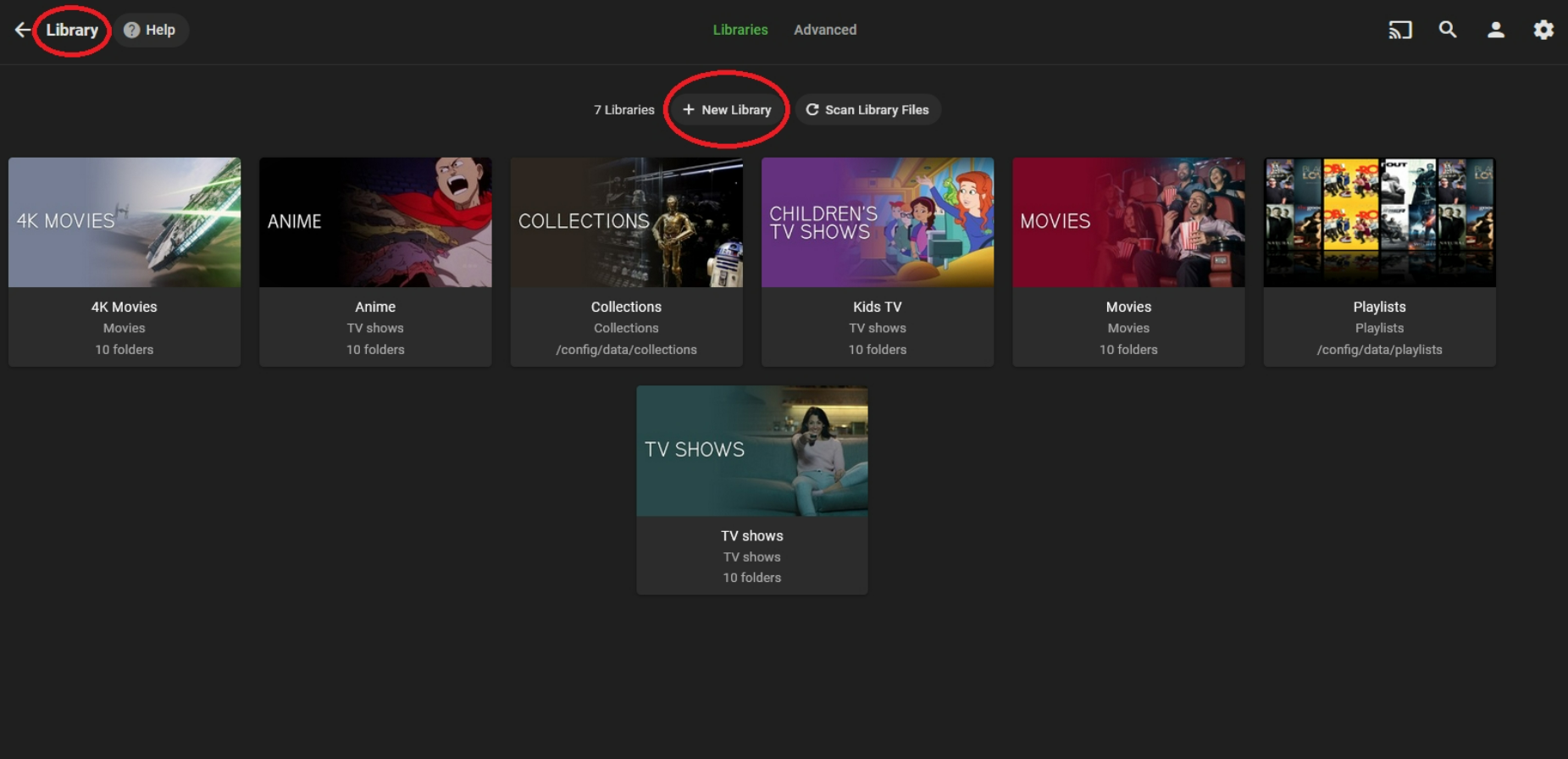
Click + icon .
Copy the 4K library above.
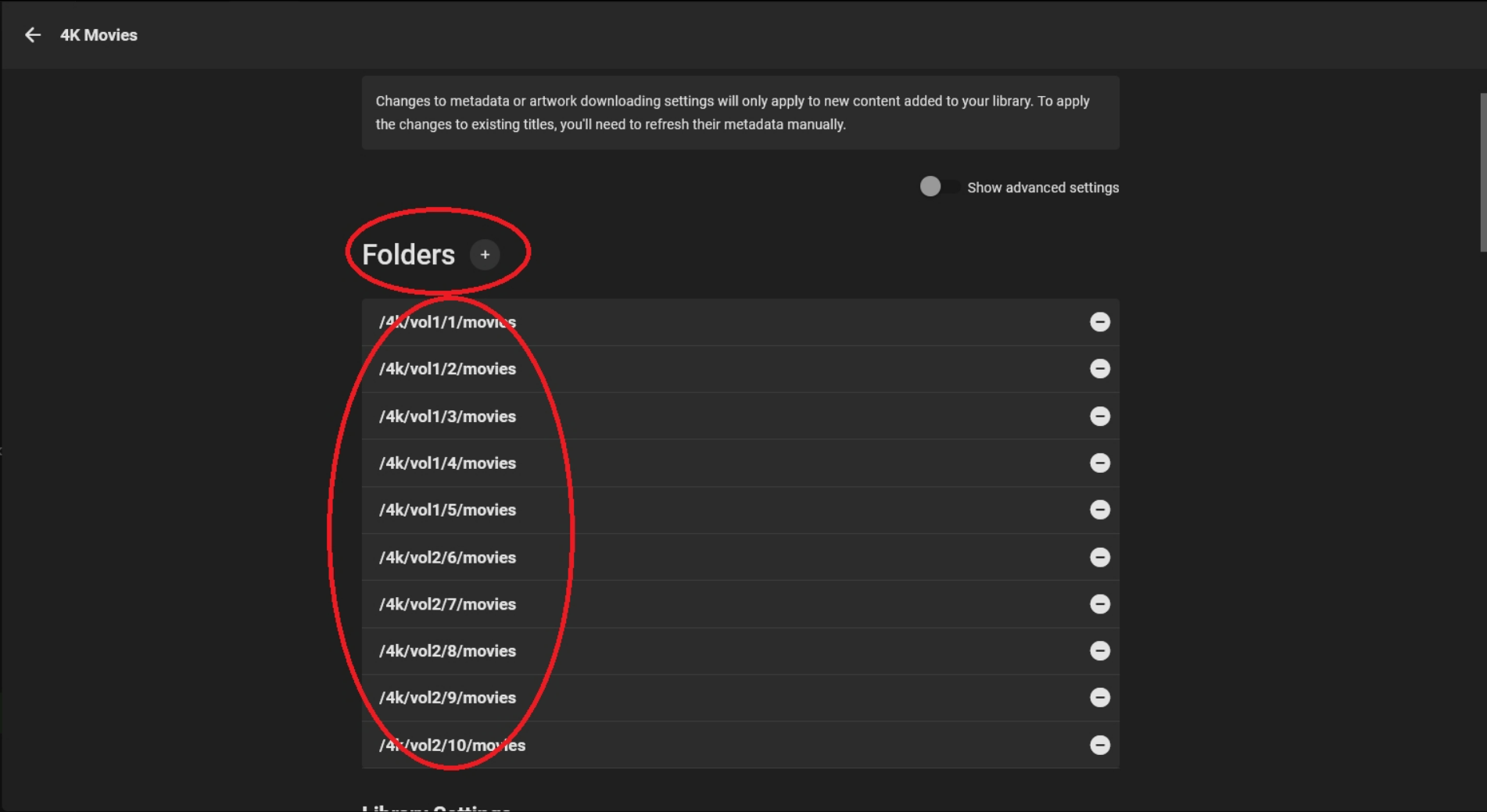
Then follow the Library Settings as shown below .
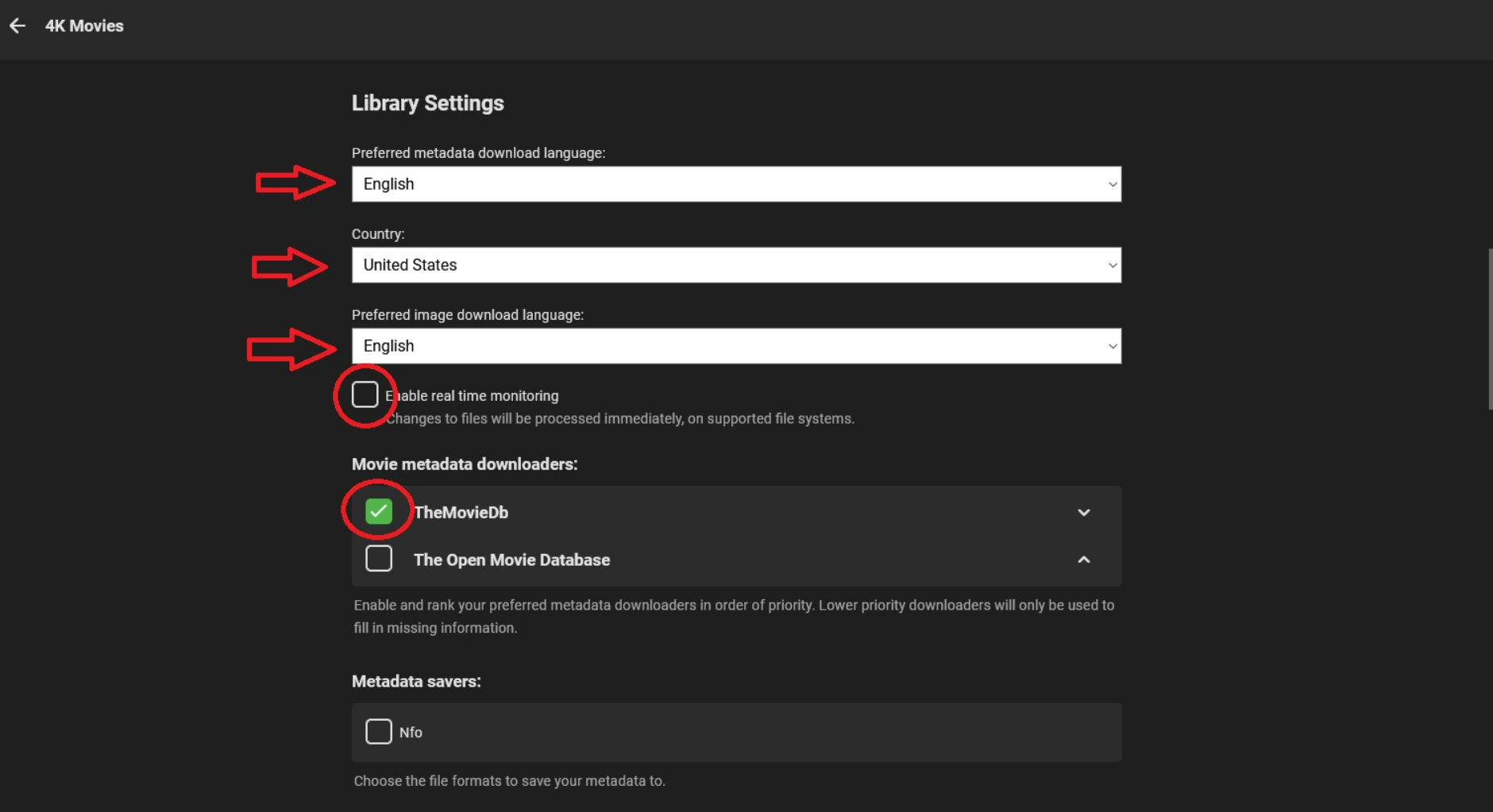
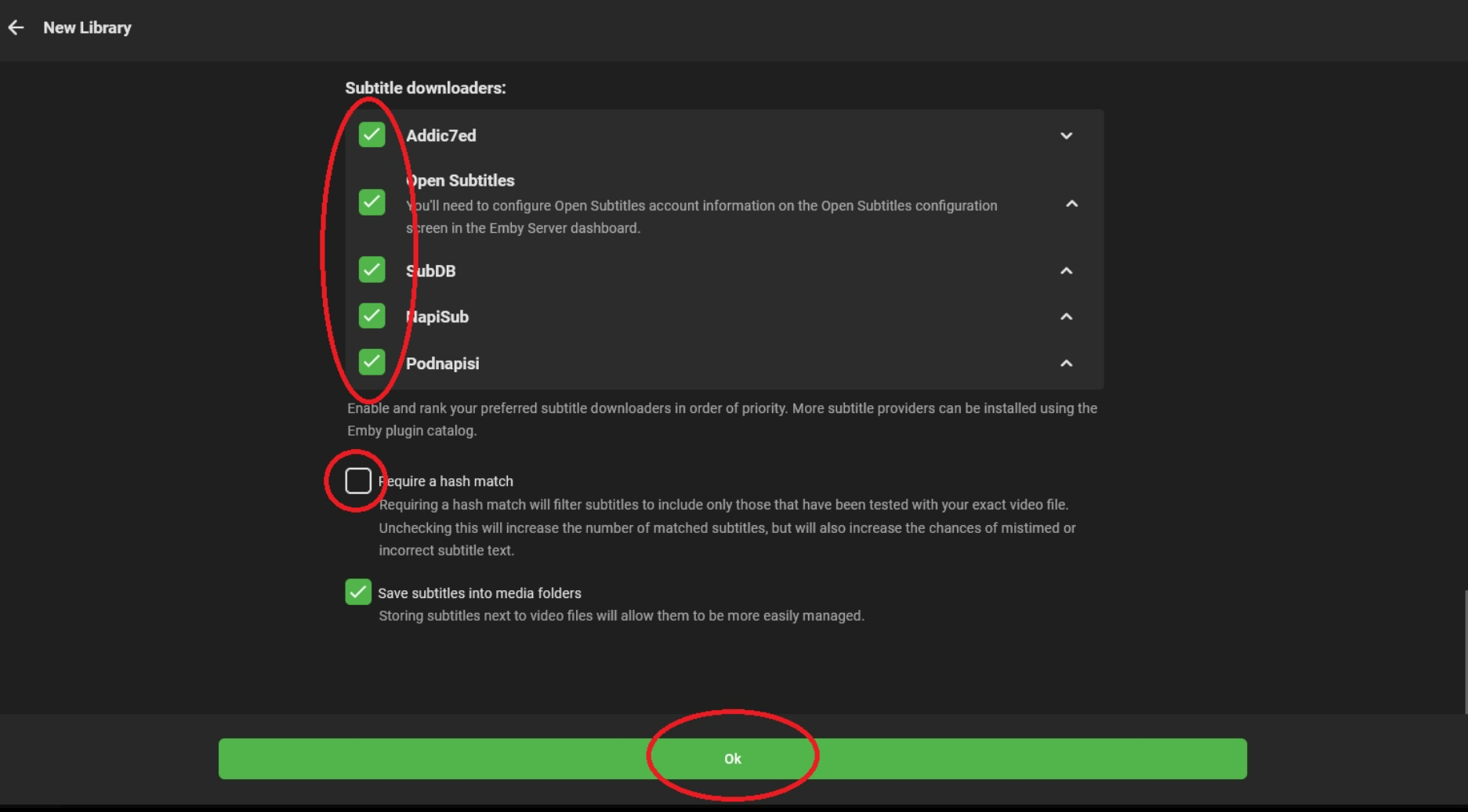
Click Ok .
Done.